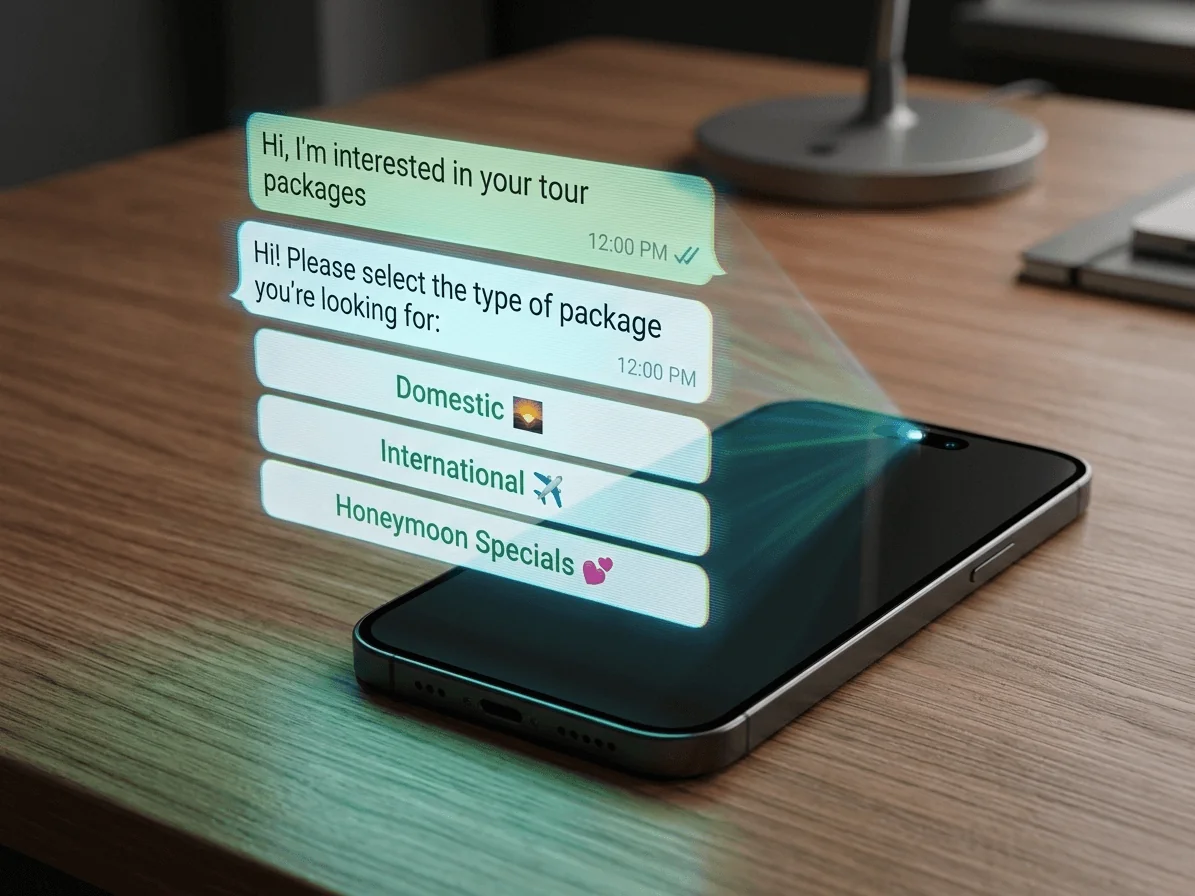
If customers already message you on WhatsApp, you have an opportunity most brands ignore. You can turn everyday conversations into faster support, smoother sales, and a more professional customer experience by using WhatsApp automation for business.
This guide breaks down the three WhatsApp options: WhatsApp (personal), WhatsApp Business (the free app), and the WhatsApp Business API, then shows you what automation can look like when you use the API properly, including WhatsApp Flows.
- WhatsApp personal is for people, not businesses. It has no real automation or team tools.
- The WhatsApp Business app is great for very small teams, but it is still mostly manual.
- The WhatsApp Business API is what you need for real automation, multi agent support, and system integrations.
- WhatsApp Flows let customers complete forms inside chat, which is ideal for bookings, lead capture, and surveys.
- With the API, you can automate customer service, sales follow ups, and notifications while keeping a human handoff.
- Most businesses should move to the WhatsApp automation for business API once message volume and response time expectations start rising.
What does “WhatsApp automation for business” actually mean?
WhatsApp automation for business means using software to respond, route, and act on messages without someone typing every reply. In practice, that can include a chatbot that answers common customer service questions 24/7, a workflow that sends an order update automatically, or a system that assigns each new message to the right person on your team.
Good automation does not remove humans. It removes repetitive work, then hands the conversation to your team when a real person is needed.
WhatsApp vs WhatsApp Business vs WhatsApp Business API
These three options look similar from a customer’s perspective. Behind the scenes, they are very different. If you choose the wrong one, you end up stuck with manual support, limited access for your team, and no reliable way to scale.
WhatsApp (personal)
Personal WhatsApp is designed for everyday messaging. It is not built for business operations. It has no business profile tools, no team inbox, and no official automation features. If customers message your personal number, you can reply, but it quickly becomes disorganized and hard to manage. Tools that add automation to a personal number anyway are unofficial, and Is the WhatsApp Business API “Official”? A Plain-English Guide to the Rules explains why WhatsApp bans accounts that use them.
WhatsApp Business
The free WhatsApp Business app adds helpful basics like a business profile, labels, quick replies, and simple away messages. For a freelancer or a very small local business, it can be enough. This app is for small scale, manual workflows.
Where it falls short is scale. You still need someone to handle most conversations by hand, and you cannot properly connect WhatsApp to your website forms, customer database, or support tools. And you will not always be there to answer chats yourself.
The WhatsApp Business API
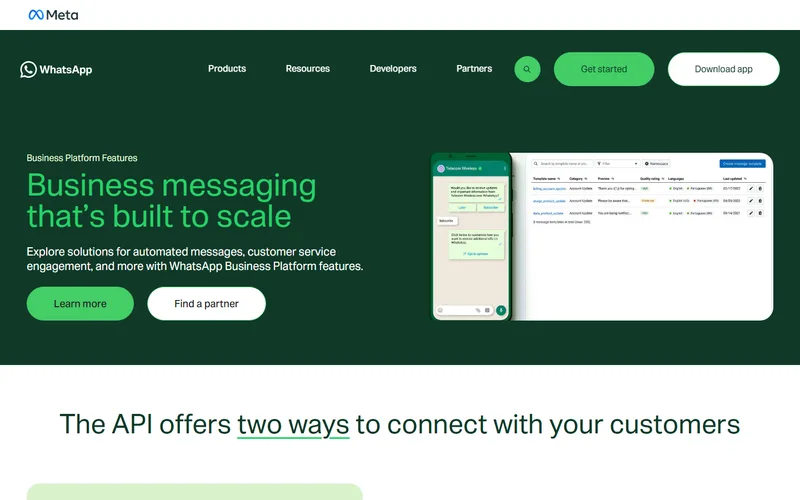
The WhatsApp Business API is the option that enables real automation. It is made for businesses that need multiple agents, structured workflows, and connections to other systems, such as CRMs, help desks, and automation platforms.
That shift is the interesting part, and it is not unique to WhatsApp. Software that only suggests a reply leaves the work with you; software allowed to act on your systems actually removes it. The same distinction is what separates an AI writing assistant from one wired directly into a website's CMS, where it can create and schedule the post rather than hand you text to paste.
Meta, which owns and operates WhatsApp, describes the WhatsApp Business Platform in its own developer documentation:
The WhatsApp Business Platform enables medium and large businesses to chat with customers at scale through programmatic access to WhatsApp.
— Meta for Developers, “About the WhatsApp Business Platform”
Comparison table: WhatsApp vs WhatsApp Business vs WhatsApp Business API
Use this table to decide which WhatsApp product matches your needs today, and what you will need when you are ready to scale.
| Feature | WhatsApp (Personal) | WhatsApp Business App | WhatsApp Business API |
|---|---|---|---|
| Best for | Individuals | Very small businesses | Growing and larger businesses |
| Cost | Free | Free | Per message pricing, plus provider fees |
| Team access | One person | Limited | Multi agent, scalable |
| Automation | No | Basic quick replies | Advanced workflows, triggers, and routing |
| System integration | No | No | Yes, connect to your tools and databases |
| Interactive experiences | Basic messaging | Basic messaging | Buttons, lists, templates and Flows |
Pricing itself comes straight from Meta rather than a reseller’s estimate. On July 1, 2025, WhatsApp moved from conversation-based pricing to per-message pricing, with rates that vary by message category and the recipient’s country calling code. Replies inside an open customer service window stayed free until October 1, 2026, when Meta started charging for them past a free allowance of 1,000 a month per business phone number, according to its WhatsApp Business FAQ. The first question in the FAQ below covers what that means for a bot.
Why do businesses need the WhatsApp Business API for automation?
The biggest reason businesses move to the API is that customers expect fast responses, even outside business hours. If your WhatsApp inbox is busy, manual replies become a bottleneck. The API gives you a structured way to handle messages at scale while keeping the experience personal.
In practical terms, the API helps you:
- Offer 24/7 first response with a chatbot, then route to a human when needed.
- Assign conversations to the right team member based on topic, language, or business hours.
- Send automated updates like order confirmations, appointment reminders, and delivery notifications.
- Track performance with delivery and read events, so you know what is working.
A well-built automation setup creates real time savings for the team behind it, not just faster replies for customers.
Reps using AI spend 20% less time on routine cases — freeing up an estimated four hours per week for more complex work.
What are WhatsApp Flows?
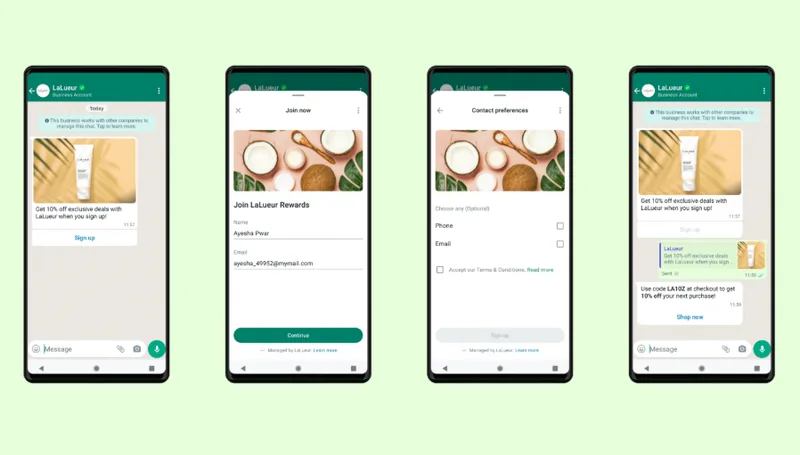
WhatsApp Flows are one of the most important reasons to choose the Business API. They let customers complete a structured task inside the chat, like filling out a form, selecting an appointment time, or completing a simple qualification step, without leaving WhatsApp.
That matters because every extra step can reduce completion rates. Flows reduce friction, and they keep the conversation in one place. Meta, which builds and maintains the feature, describes it the same way:
WhatsApp Flows: a powerful new feature for the WhatsApp Business Platform that allows businesses to create custom experiences right in their chat box — without the need to visit an external website or download another application.
Customer service automation use cases
If you want WhatsApp customer service automation, start with the most common questions and the highest volume workflows. That is where automation brings the biggest improvement without risking the customer experience. Some use cases include:
- Order and delivery updates: Automate order taking, send status messages automatically, and answer “where is my order” instantly.
- Frequently asked questions: store hours, refund policy, pricing ranges, service areas, and onboarding steps. See how to automate WhatsApp FAQs without losing the human touch.
- Appointment reminders and confirmations: reduce no shows with friendly reminders.
- Smart handoff to humans: escalate by keyword, sentiment, or customer history.
Many businesses adopt chatbots because they reduce support load, and the shift is accelerating industry-wide.
Service teams estimate 30% of cases are currently handled by AI. By 2027, as AI agents — or digital labor — gain momentum, they project that figure will reach 50%.
Sales and marketing automation with the API
WhatsApp is personal. That is why marketing needs to be permission based and useful. When done well, a WhatsApp message can outperform other channels on attention and action, especially when it opens into a Flow instead of a plain text reply.
Meta has published real conversion results from businesses that use WhatsApp Flows for sales: fashion retailer Sefamerve logged a 158% increase in conversions, plus 2.6x more revenue, after building its shopping and checkout into a Flow. Lenovo Indonesia saw an 8.2x boost in booking conversion rates compared to its own website after moving appointment bookings into a Flow.
Smart API based automation examples include:
- Lead capture: use click to WhatsApp ads, then qualify leads with automated questions and WhatsApp Flows. Qualifying WhatsApp Leads Automatically Before Sales Sees Them covers which questions to ask and how to hand the answers to sales.
- Follow ups: send reminders when someone asks for a quote, requests a demo, or abandons a cart.
- Customer reactivation: reach out with helpful updates, restock notifications, or service reminders, only for people who opted in.
One thing worth designing around before you scale any of this: buyers are actively taught to treat a WhatsApp-only business as a warning sign. Consumer guides on how to spot a fake online store list "the only contact method is WhatsApp" right next to pressure to pay quickly. Automation does not exempt you from that. Keep a real website, a branded email address on your own domain, and a published phone number behind the chat, so the conversation confirms the business instead of being the entire business.
How do you get started with WhatsApp automation?
You do not need a complex build on day one. The best approach is to start with one customer journey, automate the first response and the handoff, then expand. If your team would rather not map flows and configure the API from scratch, ClubUnbrick’s WhatsApp and messaging automation services can plan and build this with you end to end.
Worth knowing before you start mapping flows by hand: Meta now offers its own AI agent, Meta Business Agent, which works inside the WhatsApp Business app and can answer customer questions and recommend products without touching the API. So far it is open only to eligible businesses in select markets, and it is free up to a monthly allowance, with more responses on a paid Meta One plan. It is a reasonable starting point for the simplest cases. Anything that has to read from your CRM or follow your own routing and escalation rules is still a Business API build. The two routes are compared on cost, data and integrations in Meta Business Agent vs. Building Your Own WhatsApp Automation.
- Pick one goal: support deflection, lead capture, or order updates.
- Map your top questions: write the 10 to 20 most common messages customers send.
- Decide on the handoff rule: when does a human take over, and who gets the message.
- Add Flows where it helps: bookings, quotes, applications, and surveys.
- Measure results: response time, resolution time, customer satisfaction, and conversions.
Also Read: 10 Best AI Marketing Automation Tools in 2026
Key Takeaways
- If you want real WhatsApp automation for business, you will almost always need the WhatsApp Business API.
- The free Business app is fine for low volume messaging, but it is still manual and hard to scale.
- WhatsApp Flows can turn chat into a structured experience for bookings, qualification, and surveys.
- Start with customer service automation first, then expand into sales follow ups and notifications.
- Keep automation human friendly, use it to speed up responses, and escalate complex issues to your team.
Frequently Asked Questions
Does every automated WhatsApp message cost money?
Not every one, but more than before October 2026. Meta charges per delivered message, at rates that vary by message category and the recipient’s country calling code. Replies sent inside an open customer service window, which Meta calls service messages, used to be free. Meta’s WhatsApp Business FAQ now says: “Effective October 1, 2026, Meta also charges for these messages on a per-message basis.” There is an allowance, though: “For every business phone number, the first 1,000 service messages are free each month.” A small business answering people who messaged it first may still pay nothing, while a busy support line pays from the 1,001st reply. Anything you start yourself, such as promotions, reminders, and delivery updates sent outside the window, goes out as a paid template.
What is the 24-hour customer service window?
It is the period in which you can reply without a pre-approved template, and it is the rule that shapes most WhatsApp automation. Meta’s documentation defines it as a 24-hour timer that starts when a WhatsApp user messages or calls you, and resets to 24 hours each time they do so again before it runs out. Inside the window your automation can send whatever the conversation needs. Once it closes, only pre-approved template messages can go out. Reactive automation is easy. Anything you want to start three days after the last reply has to be a template you wrote and submitted in advance.
What is the difference between a template message and a WhatsApp Flow?
A template is how you reach someone; a Flow is what they do once the chat is open. Templates are the only kind of message Meta lets a business send outside a customer service window, and each one has to be categorized as marketing, utility, or authentication and approved before it can go out. A Flow is the structured screen that opens from a chat, where the customer picks a slot or fills in a form. The two work together: an appointment reminder goes out as a utility template, and the reschedule button inside it opens a Flow.
Can I keep my current number when I move to the WhatsApp Business API?
Usually, yes, and you may not have to give up the app either. Meta’s onboarding option for existing app users lets a business keep using the WhatsApp Business app and its linked devices on the same number it connects to Cloud API. Past conversations can come across as well: if the business approves chat history sharing, Meta sends history webhooks covering messages from the 180 days before onboarding. Not every provider supports that onboarding path, so confirm yours does before you migrate rather than after.
Can automated messaging get my WhatsApp number restricted?
Yes, if you message people who never asked to hear from you. The WhatsApp Business Messaging Policy sets the condition: “You may only contact people on WhatsApp if: (a) they have given you their mobile phone number or username; and (b) you have received opt-in permission from the recipient confirming that they wish to receive subsequent messages or calls from you.” Enforcement runs through messaging limits, which cap how many unique WhatsApp users a business can deliver messages to outside a customer service window in a moving 24-hour period. New business portfolios start at 250 and earn their way up. Meta’s documentation adds that excessive negative feedback from users can get a business limited or offboarded altogether. Blocks and reports are what a badly targeted broadcast actually costs.
Final Thoughts
The best WhatsApp automation does one thing well; it makes customers feel taken care of quickly, without making the experience feel robotic. If you are serious about scaling support and sales on WhatsApp, the Business API is the foundation that makes automation, team collaboration, and WhatsApp Flows possible.
Ready to automate WhatsApp customer conversations?
ClubUnbrick helps businesses design and launch WhatsApp Business API automation that improves response times, keeps conversations organized, and drives measurable results across support and sales.
What We Offer
- WhatsApp Business API setup — Help setting up WhatsApp Business API, getting approved, and setting up a scalable inbox for your team.
- Customer service automation — Chatbot flows for FAQs, order updates, and routing, with clean human handoff.
- WhatsApp Flows builds — In chat forms for bookings, lead qualification, and customer surveys.
- Analytics and optimization — Tracking response time, deflection, and conversion improvements, then improving the flows.
You can start small, then scale automation as your message volume grows.